

Five Cable Management Best Practices for School Computer Labs
Aug 19th 2025
A clean, efficient, and safe school computer lab starts with proper computer lab cable management. When left unchecked, tangled cords, obstructed access and accidental disconnections can quickly undermine the learning environment. The right cable management practices can dramatically improve lab functionality, student safety and IT efficiency.
Below are five proven strategies that solve common cable issues in educational settings.
1. Plan the Layout Around Cable Infrastructure
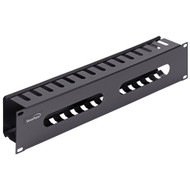
The most effective cable management begins before a single cable is even connected. Planning ahead allows IT staff to route power and data cables efficiently while minimizing clutter and cross-interference. A thoughtful lab layout accounts for desk positioning, power access and data drops. This makes it easier to incorporate structured cable management from the start, such as including horizontal cable managers to direct patch cords across the front of network racks. Using a cable raceway, a cable cross bar, or D-rings can keep bundles organized and accessible. A brush-strip panel lets cables pass through while keeping dust out of the rack interior.
2. Use Rack-Mount Cable Managers for Network Racks
Once your networking equipment is installed, cable congestion can quickly become a problem. Without a way to organize and direct cables, racks become overcrowded, making future maintenance difficult and increasing the risk of disconnections. Horizontal cable managers work across the face of the rack to align cords and create open access to patch panels and switches. For vertical applications, vertical cable managers solve the problem of tangled vertical cable bundles. These include options such as vertical cable raceways, vertical D-rings and vertical cable management rails that align and secure long cable runs along the full rack height.
3. Utilize Overhead or Under-Desk Cable Trays
In labs with multiple rows of student desks, keeping cables off the floor is critical. Loose cables not only look messy but also create trip hazards and increase wear. Wire-mesh cable trays offer a robust, flexible solution by routing cables along ceilings, walls or under desks. Their open design supports airflow and makes future moves or changes easier. Whether suspended or mounted under raised floors, these trays hold dozens or hundreds of cables and can be cut and joined to fit custom spaces. That adaptability is essential in labs that frequently evolve to support new learning technology.
4. Bundle Cables Thoughtfully
Even with the best routing methods, unbundled cables can look chaotic and be difficult to trace or replace. Proper bundling solves this problem while protecting cords from kinks or pinching. Plastic cable ties, also called zip ties, provide a quick, affordable way to secure static cable runs and are available in multiple lengths and colors to help with identification. When more flexibility is needed—especially in labs that change configurations regularly—hook-and-loop cable straps are ideal. These can be opened and reused without damaging cables. For even more control, bulk rolls can be trimmed to any length, bundling long or uneven cable groups cleanly.
5. Avoid Cable Strain and Tight Bends
Improper cable handling can lead to internal damage, poor signal quality or outright failure. Strain and sharp bends are frequent culprits in cable degradation, particularly in labs where devices may be plugged and unplugged often. Support structures such as horizontal cable managers and vertical cable managers help relieve tension and maintain proper bend radius. Cable bundles routed through raceways, d-rings or lacing bars stay safely secured and reduce the risk of wear and interference, even in high-use student environments.
In school computer labs, managing cables well is about more than just tidiness, it ensures safety, supports network performance, reduces troubleshooting time and keeps equipment running longer. The best practices described above work together to create an efficient, low-maintenance learning environment that’s ready to support student success.